jacquard printing problem

Hi everyone!
I'm having trouble printing this jacquard pattern with natural yarns and cotton.
I used:
1. Waste
2. Nettle yarn Nm 1/10000 combined with Tencel hemp 1/24000
3. Cotton 16/2
4. Tencel hemp 1/10000
Parameters used: stitch 6, speed 400, roll 450
Can you help me figure out what to change?
I changed various machine parameters, I changed the position of the yarns, I replaced the cotton yarn first with Nm 3/50, then with 3/30, but there was no improvement...
Help me, thanks!
https://drive.google.com/file/d/1RDg5jM7F5_yE5qPGfsoDXf02vmq1D4Xc/view?usp=drivesdk
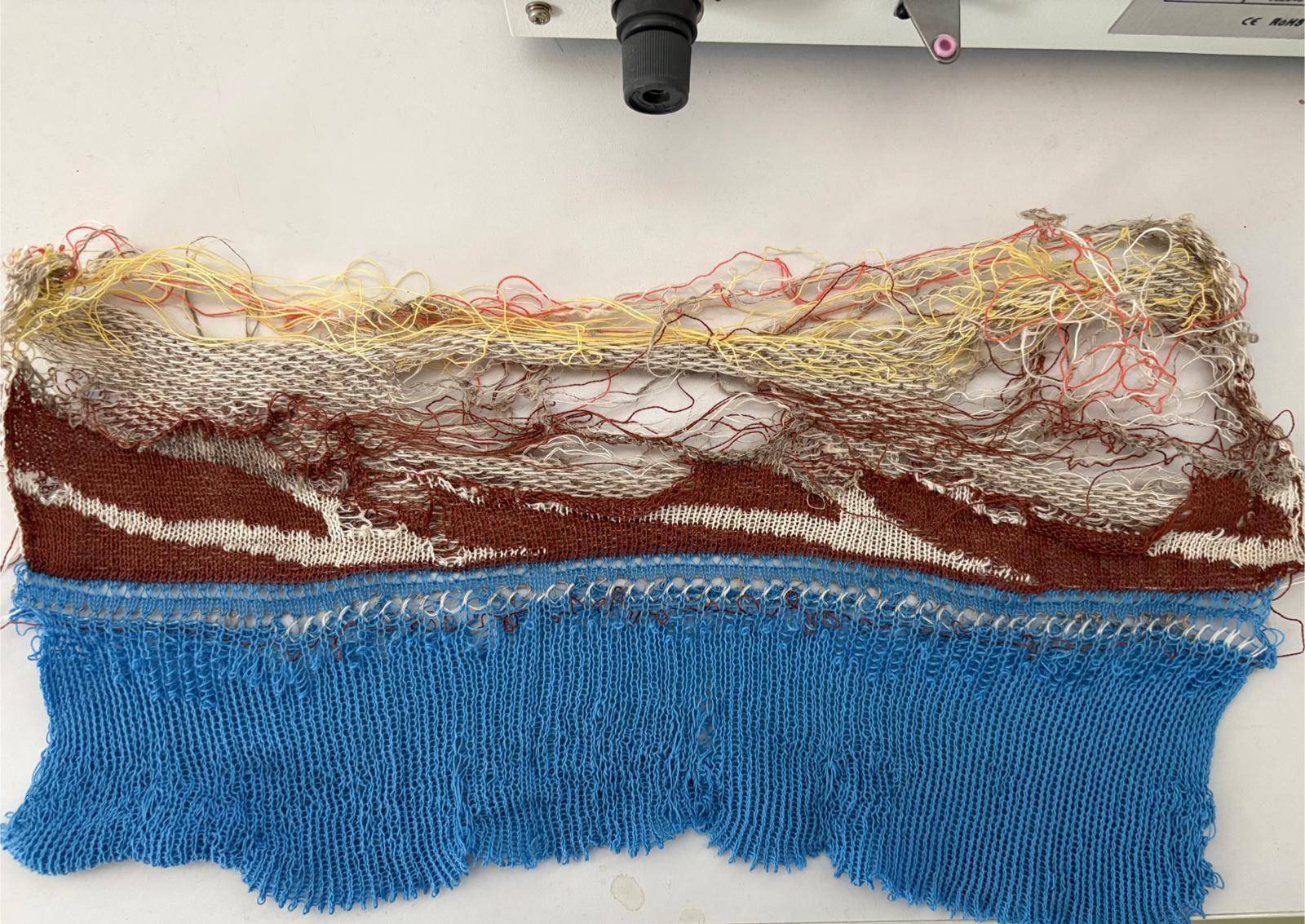
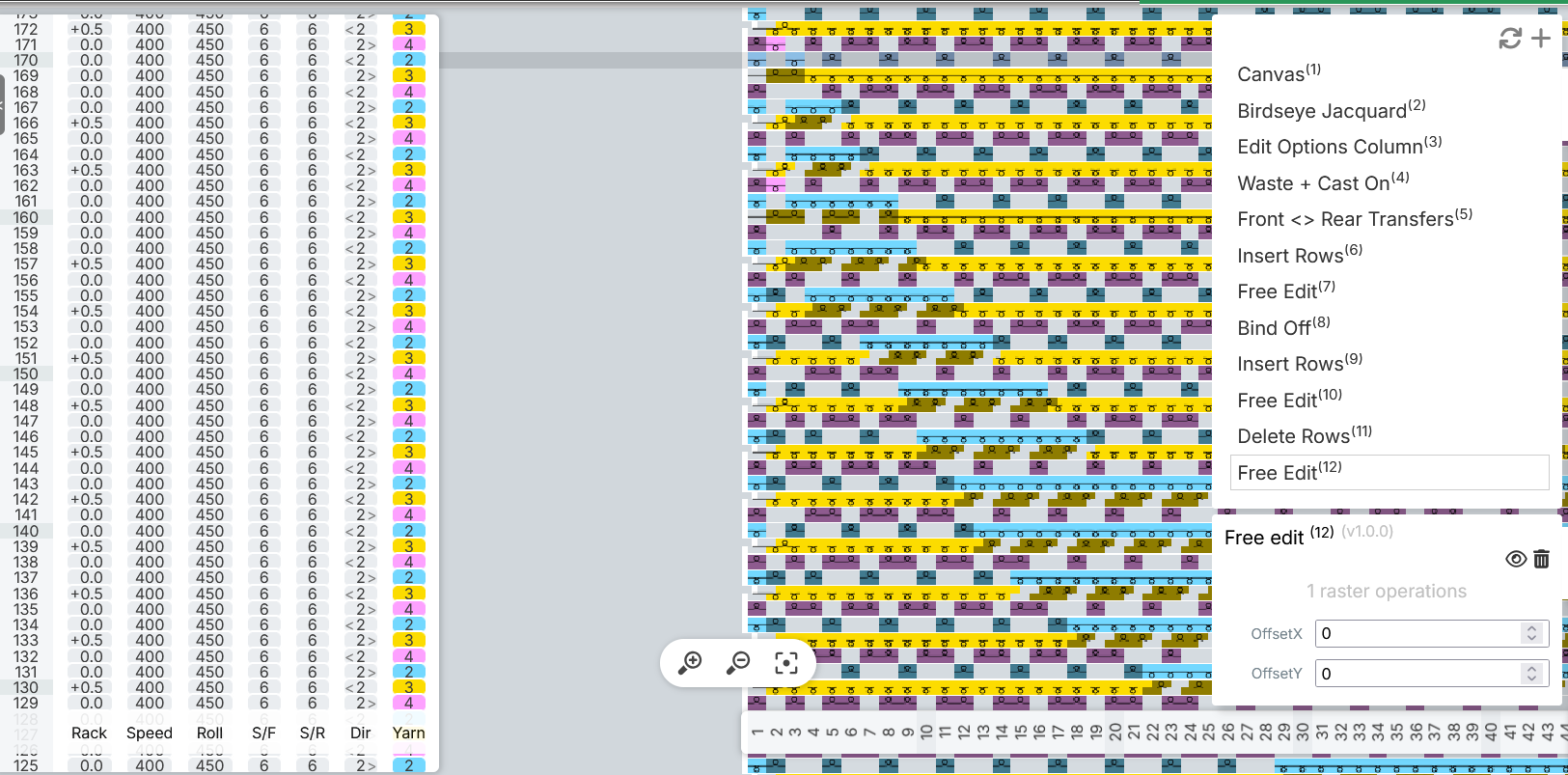
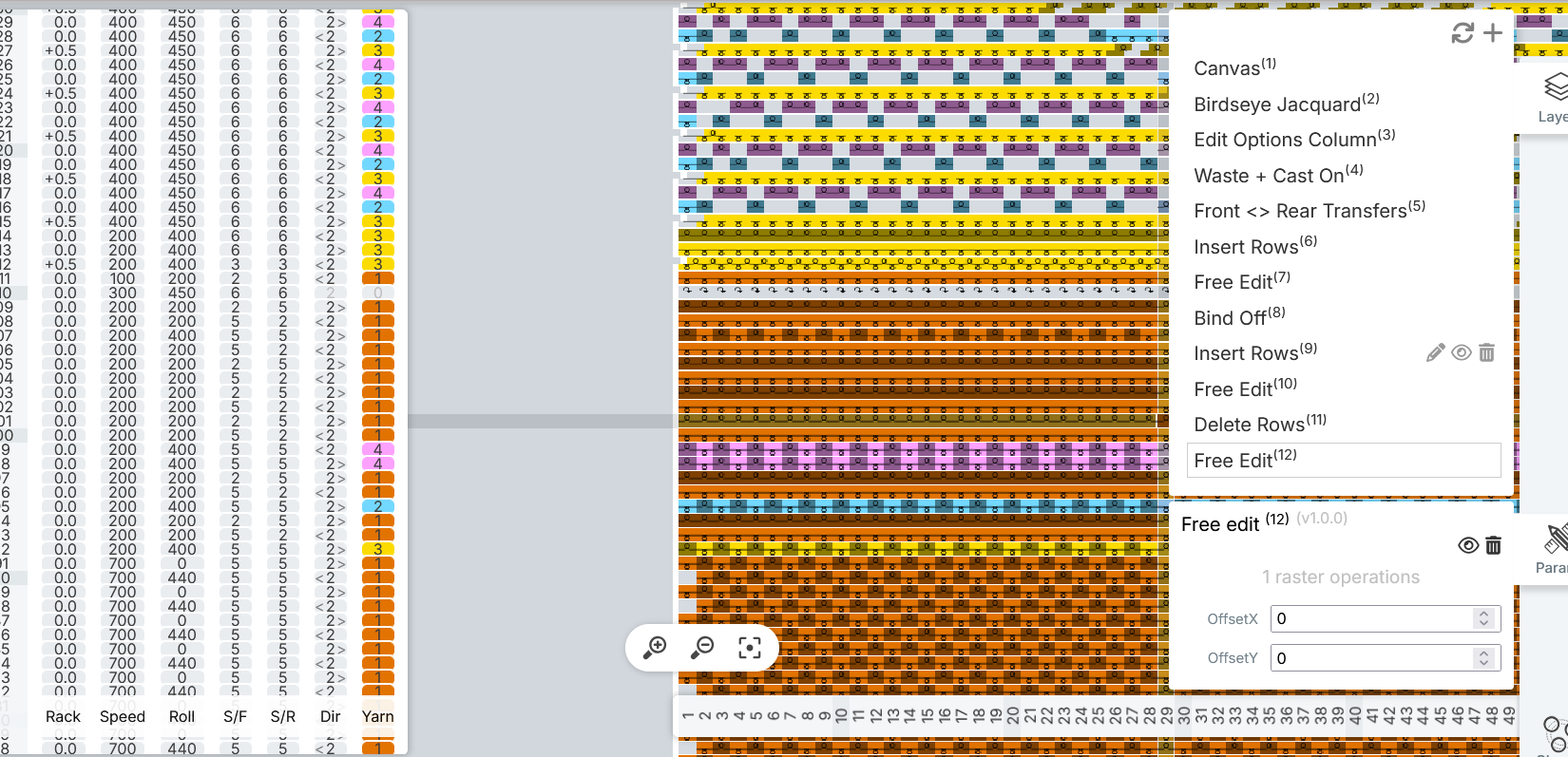
-

Hi Giuseppina Pomponio ,
I have the impression that the yarns you are using are very thin. Also each one of them has a different weight, which makes it way more challenging to find the right adjustments.
To start with, I'd suggest changing the stitch size to 5 in the front and 4 in the rear. You can also increase the roller to 550-600. Reduce the speed to 200 until the adjustments are right to knit constistently.
Let us know how it goes!
0 -
Okay, that’s fine! I'll try it
I also wanted to know why the waste cast part is always so bad0 -
Giuseppina Pomponio it's also because of the yarn thickness. Try reducing the stitch size in the interlock part to 4 or even 3.
0 -
I tried stitch rear 4 and stitch front 5 but it gave me the same error as before. So I put all stitch 4 but it made holes, how to do it? I used speed 200 roller 600
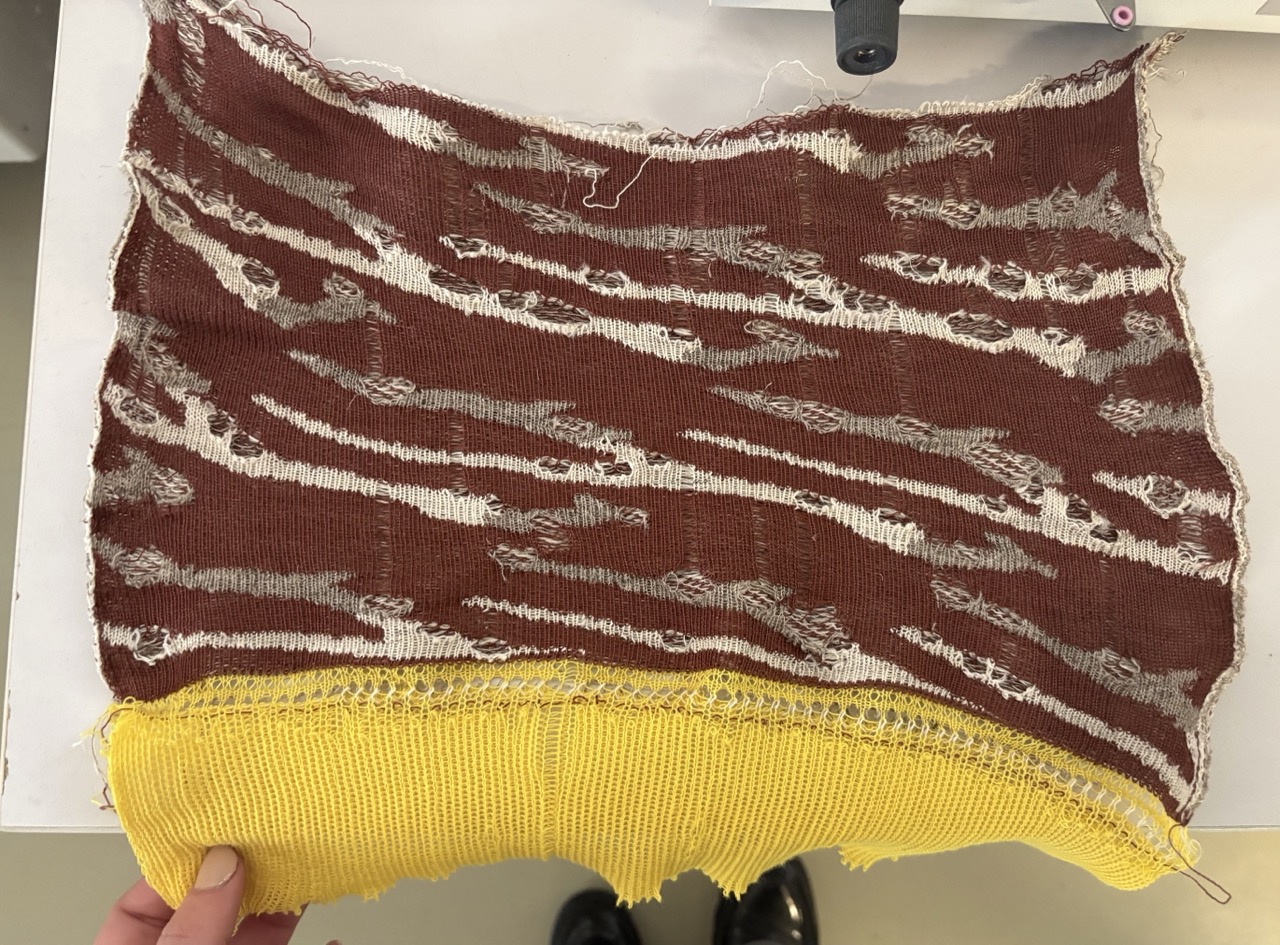 0
0 -
hi Giuseppina Pomponio ,
It looks like the problem happens mainly in the white and brown areas, yarns 2 and 4. Could you try swapping these yarns for ones more similar in weight to yarn 3? If possible, yarns of the same material and weight in different colors.
0 -

From the description and the information from driver https://drive.google.com/file/d/1RDg5jM7F5_yE5qPGfsoDXf02vmq1D4Xc/view?usp=drivesdk geometry dash , it looks like the issue may come from the difference in yarn thickness and tension between the fibers. The nettle/Tencel hemp yarns you are using (Nm 1/10000 and 1/24000) are much finer compared to the cotton 16/2, which can cause uneven feeding and poor pattern definition in jacquard.
I would focus next on tension balance and stitch size rather than yarn replacement.
0
Please sign in to leave a comment.
Comments
6 comments